NextTurn: a multi-tenant SaaS, built in Laravel
NextTurn is a queue management platform for businesses that serve customers in person. I designed it, built it, and run it on my own. This page walks through the engineering behind it: how each business's data stays separate, how the queue stays fair when two counters call at the same moment, and how billing and plan limits fit together.
On this page
The problem
Businesses that serve walk-in customers often still run their lines with paper tickets or a crowd at the door. Staff lose track of who is next. Priority customers, such as older people, pregnant women, or people with disabilities, either wait like everyone else or skip ahead of the whole line. And nobody knows how long people actually wait.
NextTurn replaces that with three screens: a check-in screen where staff issue tickets, a counter view where they call the next person, and a public display that shows who is being called.
How it works
Check-in. Staff pick the service a customer needs, mark them as priority if it applies, and the system issues a short, readable ticket code like S1001, or PS2001 for priority.
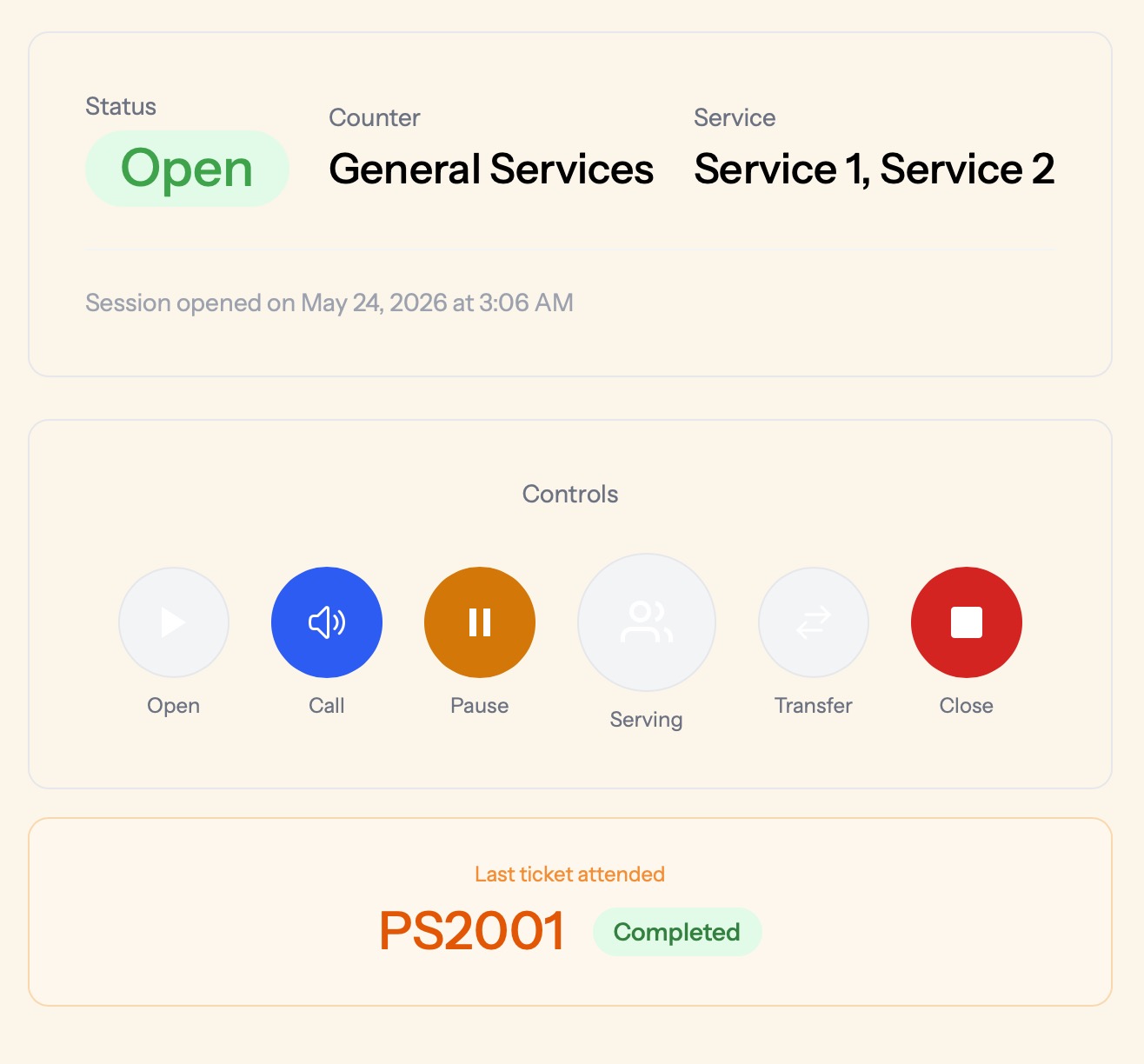
The counter. Each staff member opens a session at their counter and calls the next customer with one button. From the same screen they can pause, mark the customer as being served, transfer them to another counter, or close for the day.
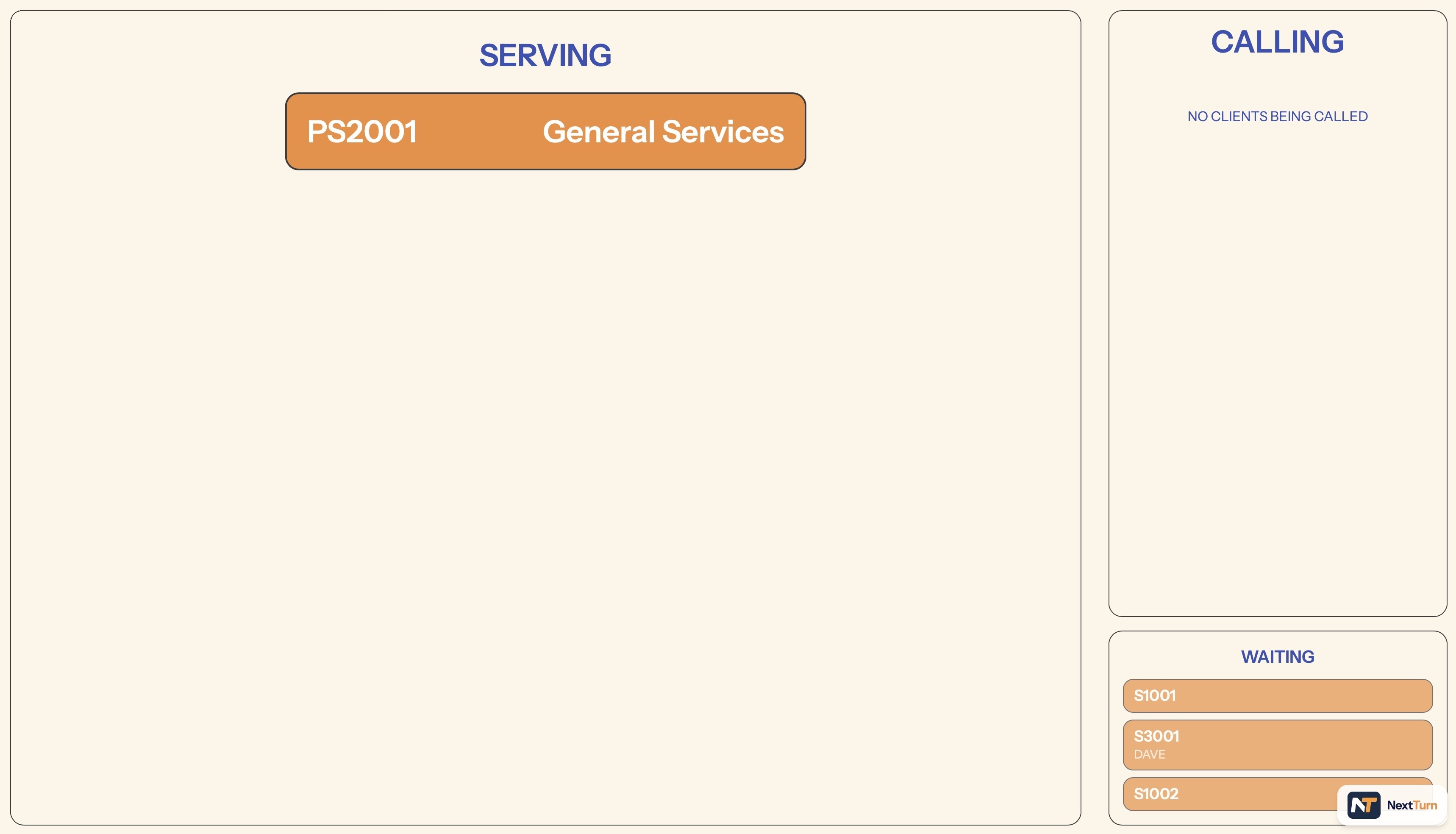
The public display. A screen in the waiting area shows who is being served, who is being called, and who is waiting, with a chime every time a new ticket is called.
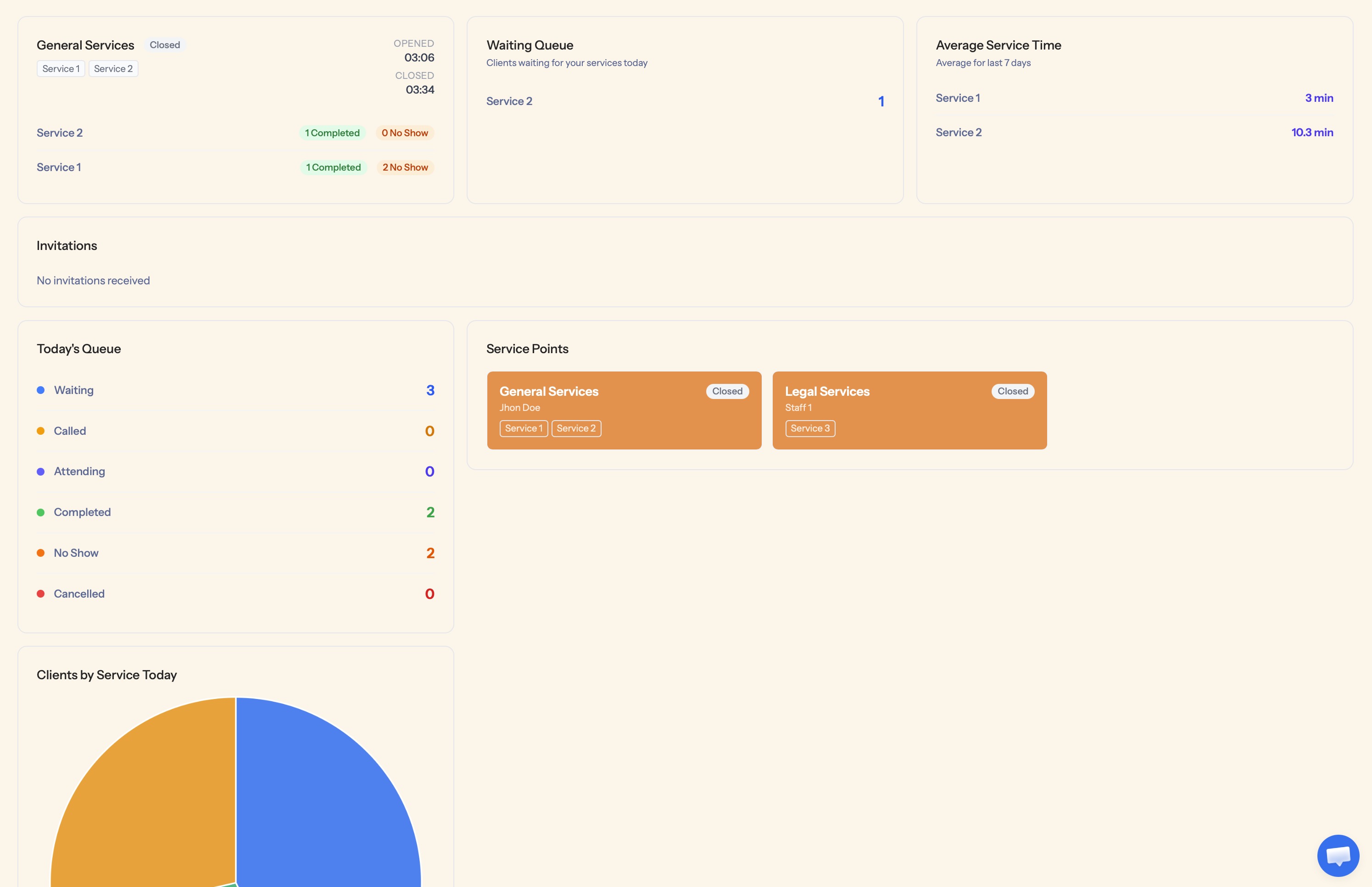
The owner dashboard. The business owner sees today's queue by status, average service time per service, which counters are open, and reports over time.
Engineering decisions
A fair priority queue
"Always serve priority customers first" sounds right until the priority line never empties and regular customers wait all morning. NextTurn lets each business set a priority ratio, three by default. Every time a counter calls the next customer, the system looks at how many priority customers were served in a row across the whole business. Below the ratio, a waiting priority customer goes next. At the ratio, a regular customer goes next. If one line is empty, the other keeps moving, so no counter sits idle.
The streak isn't stored as a counter. It's recalculated from the service history on every call, so there's no state that can drift out of sync, and a counter that closes for an hour doesn't throw it off. A customer transferred to a specific counter is called there before anyone else. The ratio logic is covered by Pest tests that run through sequences of calls at different ratios.
Two counters, one "Call" button
The classic race condition in a queue system: two staff members press "Call" in the same second and both get the same customer. In NextTurn, every change to the queue runs inside a database transaction with row-level locks on the ticket being selected and on the history used to compute the priority streak. The second request waits for the first to finish and then gets the next customer. Ticket numbers work the same way: the last sequence number is locked before the next one is issued, so two check-ins at the same moment can't get the same code.
Tenant isolation without a tenancy package
Every business shares one database, and every tenant-owned table carries a company_id. Middleware resolves the active company on each request, and Eloquent global scopes on every tenant model filter queries by it automatically. A query has to opt out explicitly to see across businesses, which only happens in a couple of trusted internal services.
It doesn't use a tenancy package like stancl/tenancy. The isolation lives in the models themselves, so there's nothing extra to install or configure. The tradeoff is discipline: every new tenant model has to carry the scope, and I treat that as a rule of the codebase.
Downgrades that never delete data
When a business moves from Pro to Basic, it may suddenly have more counters or staff than the new plan allows. Deleting them would be easy and destructive. Instead, on every subscription webhook from Paddle, NextTurn first unlocks everything and then locks the most recently created resources over the limit. The owner sees a notice on the dashboard listing what was locked. Upgrading again restores everything exactly as it was, with nothing to recreate. Locking the newest resources first protects whatever the business set up at the start.
Times that are right for each business
Every timestamp is stored in UTC. A custom Eloquent cast converts it to the active business's time zone when it's read, so a session opened at 3:06 AM shows as 3:06 AM local time for that business, without a time zone column on every row.
An audit trail that outlives what it describes
Every ticket that reaches a final state (completed, no-show, or cancelled) writes a permanent log entry inside the same transaction as the state change. The entry copies the service, counter, and staff names at that moment instead of only storing IDs, so the history stays readable after a service is renamed or a staff member leaves. Reports are built on this log.
A display that fixes itself
The public display is usually a TV in a waiting room, on whatever Wi-Fi the business has. It polls the server every three seconds through Livewire instead of holding a WebSocket open, so a dropped connection recovers on the next request and there's no broadcast server to run. A small Alpine.js loop checks for newly called tickets every second and plays the chime.
Stack and operations
| Area | What it uses |
|---|---|
| Backend | PHP 8.4, Laravel 12, MySQL |
| Frontend | Livewire 4, Flux UI, Alpine.js, Tailwind CSS 4, Chart.js |
| Authentication | Laravel Fortify with two-factor authentication, rate limiting on login, sign-up, and 2FA, reCAPTCHA v3 on sign-up |
| Billing | Paddle, through Laravel Cashier, with subscription webhooks driving plan limits |
| Background work | Queued jobs for the onboarding email sequence and billing emails |
| Error tracking | Sentry |
| Tests | Pest, 95 tests covering authentication, the queue and priority logic, transfers, plan limits, and downgrades |
| Code style | Laravel Pint, checked in GitHub Actions |
| Production safeguards | Destructive database commands blocked in production; strict password rules with a breach check |
| Languages | English, Spanish, and Portuguese, with around 370 interface strings translated per language |
Need something like this built?
I write PHP the same way whether it runs inside WordPress or not. If you need a Laravel backend, a SaaS MVP, or a custom system that works alongside your WordPress site, I can build it and leave it in a state your team can own.
Tell me about your project.
Open to new projects and part-time retainer engagements, in English or Spanish. I reply within one business day. If we're a fit, we'll book a 30-minute call to go deeper.
Email me directly
A short note about your project, your timeline, and what success looks like. The more context, the better.
cesar@cesarsiancas.com Already know what you want?Book a 30-min call
Skip the back-and-forth. Pick a slot in my calendar and we'll talk through scope, timeline, and budget.
calendly.com/zed-1985/30min Hiring through a platform?Find me on Toptal
I'm a vetted Top 3% engineer on Toptal. If your company already has a contract there, we can start within days.
toptal.com/resume/cesar-siancas